A gift from your heart

Help write Charlie’s
next chapter.

Every personal gift brings our family a little closer. Thank you for showing up with love.

Send directly to our family

Zelle

Send your gift through your bank’s app or website. This website does not send money.

Send your gift

Scan the QR code in your bank’s Zelle service to send a personal gift to Jason Barnett (phone ending in -4207). Confirm that your bank shows Jason Barnett before sending. Gifts are personal gifts to our family, not tax-deductible charitable donations.
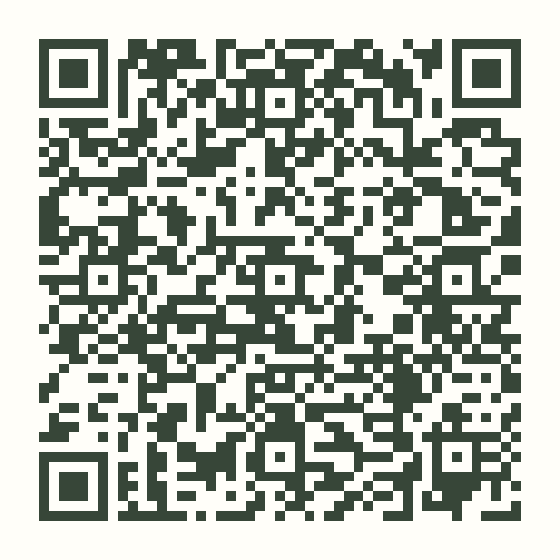
Zelle QR code for Jason Barnett, phone number ending in 4207. Scan with your banking app and verify the recipient before sending.
Scan in your banking app
Jason Barnett · ending in 4207

Check the recipient carefully before sending. Keep your payment receipt.

Let us know optional

Already sent your gift? You can share a note and help our family match it to the payment we receive.
I’ve already sent a gift with Zelle

This form only reports a gift you already sent. It does not transfer money. Our family will verify receipt before adding it to the fundraising total.

Enter the amount on your payment receipt ($1–$100,000).
Send directly to our family

Apple Cash

Send your gift through Apple Cash in Messages. This website does not send money.

Send your gift

Friends and family who know us: open Messages on your iPhone and start a conversation with applecash@bringingcharliehome.com. Tap +, choose Apple Cash, enter your gift amount, and follow Apple’s prompts to review and send. Confirm you are sending to Jason Barnett before completing the payment. If Apple Cash is unavailable for this address, please use Zelle instead. Do not send money by email; this address identifies our Messages recipient. Gifts are personal gifts to our family, not tax-deductible charitable donations.

Open Messages to send Apple Cash

On iPhone, open the conversation, then tap + → Apple Cash to choose an amount and review your gift. Opening Messages does not send money.

applecash@bringingcharliehome.com

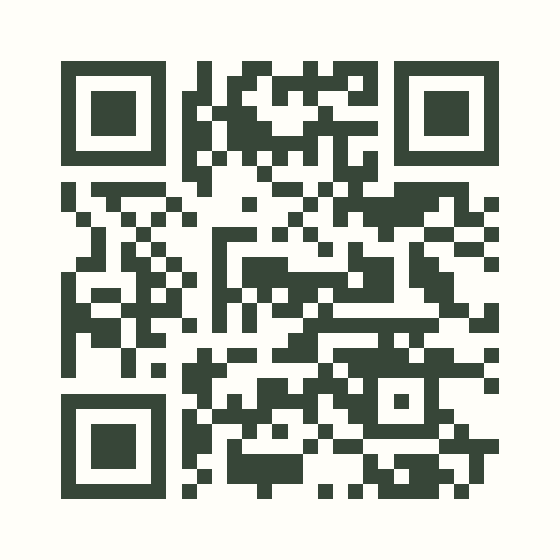
Viewing on a computer? Scan to open Messages
QR code to open Messages addressed to applecash@bringingcharliehome.com. Then choose Apple Cash to send a gift.
Scan with your iPhone camera to open Messages.
Then choose + → Apple Cash.
This is a Messages shortcut, not a payment QR code.

Check the recipient carefully before sending. Keep your payment receipt.

Let us know optional

Already sent your gift? You can share a note and help our family match it to the payment we receive.

I’ve already sent a gift with Apple Cash

This form only reports a gift you already sent. It does not transfer money. Our family will verify receipt before adding it to the fundraising total.

Enter the amount on your payment receipt ($1–$100,000).